
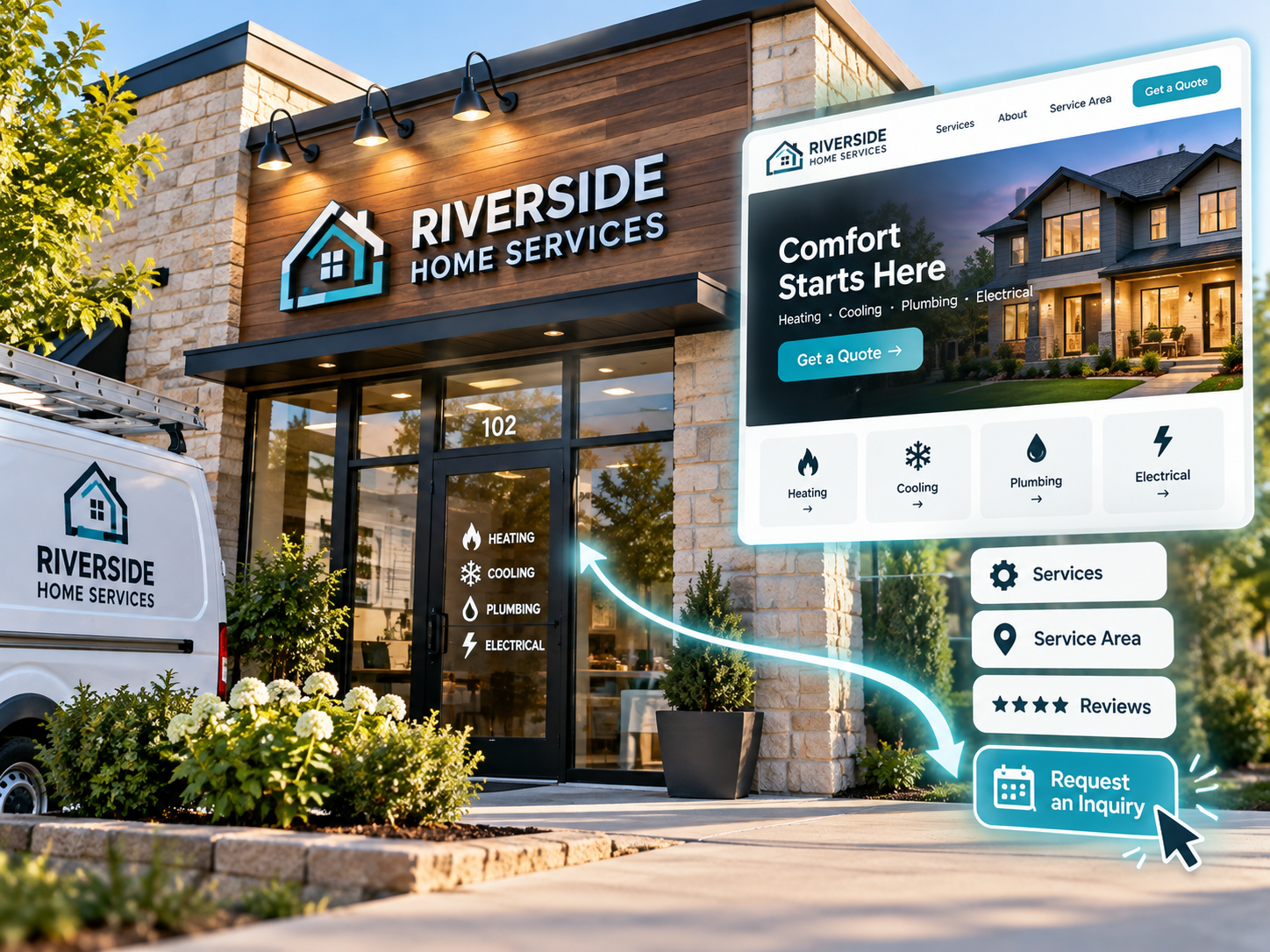
A small business website earns its keep when it turns a visitor into a phone call, a booking, or a form submission within the first visit. That means the homepage, the about page, and the contact page all have to point toward one clear action instead of trying to impress with design alone. Getting this right is less about picking the trendiest template and more about mapping out what you want a stranger to do the moment they land on your site.
I have watched plenty of small business owners build a site that looks sharp but never generates a single lead, and the problem is almost never the color scheme. It’s usually a missing next step. At DH Digital Consulting, I build systems for real estate agents and service businesses that are designed around capturing leads, not just displaying information, and that same thinking applies directly to how you should approach your own website.
The small business websites that generate leads start with a single target action defined before any design work begins, choose a platform that supports that action without added complexity, and guide every page toward a contact form, booking tool, or phone call. Everything else, including fonts, photos, and layout, supports that core job.
Key Takeaways
- Decide what you want a visitor to do before you choose a platform or design a single page.
- Match your website platform to your business type instead of picking the most popular option.
- Test your forms, links, and tracking tools before and after launch so leads don’t slip through unnoticed.
What Should Your Website Help Customers Do?
A small business website should give visitors one clear action to take, not a handful of competing options. Before writing a word of copy or picking a template, decide whether you want people to call your office, book an appointment, request a quote, join your email list, or buy something directly.
This decision shapes everything that follows. A plumber who wants same-day calls needs a phone number visible on every page and a short form for urgent requests. A consultant who wants discovery calls needs a booking link front and center. A boutique that wants online sales needs product pages and checkout, not just a contact form buried at the bottom.
Think about your target audience specifically, not generally. A homeowner searching for emergency repair at 9 p.m. behaves differently than someone comparing consultants during business hours. Your site should account for both urgency levels if your business serves them.
Calls to action should be short and specific. Swap vague buttons like “Learn More” for action verbs that tell visitors exactly what happens next: “Call Now,” “Book a Consultation,” “Get a Free Quote.” Repeat your primary call to action near the top of the homepage, again after your services section, and once more before visitors leave the page.
If your business has struggled to turn website traffic into real conversations, the problem often sits upstream of the website itself. I wrote about this in detail in why a website cannot fix broken lead response, because a beautiful site still loses leads if nobody answers the phone when it rings.
Which Website Platform Fits Your Business?
The right platform depends on what your business needs the site to do, not which tool has the most templates. Wix and Squarespace work well for most service businesses and solo operators because they bundle templates, hosting, and an SSL certificate into one monthly plan, and both now include an AI website builder that speeds up the first draft.
Squarespace tends to suit businesses that want polished, visually driven templates, such as photographers, designers, or boutique service providers. Wix fits businesses that plan to publish blog content regularly and want simpler built-in SEO tools alongside their content management system.
WordPress is a better fit if you want long-term control over plugins, custom functionality, or a large content strategy. It takes more setup time than a drag-and-drop builder, but it gives you more flexibility as your business grows.
Any platform you choose should include a few non-negotiables: a secure domain name, reliable web hosting, an SSL certificate so browsers mark your site as secure, and a business email address that matches your domain instead of a free email account. If you plan to sell products directly, confirm the platform supports an ecommerce website setup with online payments built in, not bolted on as an afterthought.
| Platform | Best For | Starting Price |
|---|---|---|
| Wix | Blogging and SEO-friendly service businesses | From $17/month |
| Squarespace | Visually driven, template-based sites | From $16/month |
| WordPress | Long-term content and custom features | Hosting and plugin costs vary |
Before locking in a platform, it helps to understand what the full build actually costs once hosting, templates, and setup time are factored in. I break that down in the real cost of a small business website.
How Do You Design Pages That Turn Visits Into Inquiries?
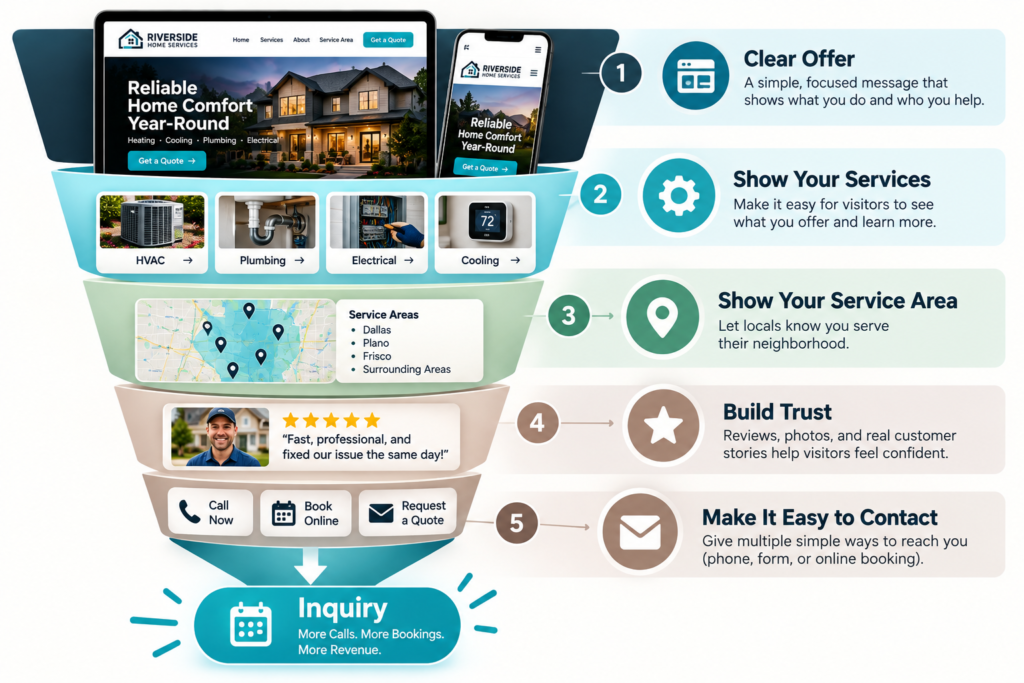
Pages convert when they answer a visitor’s questions in order and remove friction before asking for contact information. The about page, the services page, and the contact page each carry a specific job, and skipping any one of them costs you inquiries.
Your about page is often the most visited page on a small business site, so it needs to do more than list your founding year. Explain who you serve, what problem you solve, and why someone should trust you over the next search result. People want to see the person or team behind the business before they pick up the phone.
Your contact form should ask for only what you need to respond: name, phone number, and a short description of what they need. Long forms with ten fields feel like work, and visitors abandon them. If your business takes appointments, an online booking tool embedded directly on the page removes an extra step, since visitors can pick a time instead of waiting for a callback.
Behind the scenes, a CRM keeps every inquiry organized so nothing falls through the cracks between a form submission and a follow-up call. Even a simple CRM setup prevents the common problem of leads sitting unanswered in an inbox for days.
If you want a structured way to map out this path from first click to booked appointment, I put together a service business lead path guide that walks through each stage. And if slow replies have been costing you business even with a solid page design, the first five minutes after a lead comes in matter more than almost anything on the page itself.
What Should You Test Before and After Launch?
Test your forms, links, and tracking tools before launch, then monitor real visitor behavior after you go live. A contact form that silently fails, or a booking link that points to the wrong calendar, can quietly cost you leads for weeks before anyone notices.
Before launch, submit every form on your site yourself and confirm you receive the notification. Click every button and link, including the phone number, to make sure nothing points to a dead page. Check the site on a phone and a laptop, since most visitors will find you on mobile first.
Install Google Analytics before launch, not after, so you have baseline data from day one. Pair it with basic SEO tools like Google Search Console to see which search terms bring people to your site and which pages they leave quickly. These tools show you where visitors drop off, which tells you exactly which page needs attention.
After launch, keep the momentum going instead of treating the site as finished. Set up email marketing to capture visitors who aren’t ready to buy or book yet, and share new pages or blog posts through social media marketing to drive repeat visits. A website that never gets promoted rarely generates leads on its own, no matter how well it’s built.
Design for the Next Customer Action
Every design decision on your site should serve one question: what do you want this visitor to do next? That single filter cuts through most of the indecision around colors, fonts, and layout options that stall small business owners before they ever launch.
Revisit your site every few months with that same question. As your services change or your busiest season shifts, the action you want visitors to take might change too. A seasonal service business, for example, might swap “Request a Quote” for “Book Now, Spots Filling” during peak months.
If missed calls or slow follow-up have been quietly costing you leads even with a well-built site, that’s a separate problem from design, and one I spend most of my time solving for service businesses and real estate agents through EchoAssist, an AI receptionist that answers calls around the clock and qualifies leads before they go cold. You can see how it works and book a free 10-minute demo at EchoAssist whenever you’re ready to look at it alongside your website.
A clear next action, paired with fast follow-up, is what turns a well-designed site into one that actually brings in business.
Frequently Asked Questions
How much does it cost to design a small business website?
A DIY website builder like Wix or Squarespace typically runs $16 to $30 per month and can be set up in one to three days. WordPress or a custom-built site costs more upfront and takes longer, but offers more flexibility for businesses with advanced content or feature needs.
What pages does a small business website need at minimum?
Most service-based businesses need at least five pages: a homepage, an about page, a services page, a contact page, and a 404 page for broken links. Businesses selling products online also need product pages and a checkout flow.
Should I build my own website or hire someone?
Many small business owners successfully build their own site using a template-based platform, especially when paired with professional photography. As the business grows or needs grow more complex, working with a designer or developer can help refine the visual identity and add custom features.
How do I know if my website design is working?
The clearest sign is whether visitors are booking appointments or making purchases through the site. If traffic is strong but inquiries are low, the issue is often the page’s calls to action or contact process rather than the overall design.
Do I need an SSL certificate for a small business website?
Yes, an SSL certificate is standard on nearly every website builder and hosting plan today, and it signals to browsers and visitors that your site is secure. Sites without one often get flagged as “not secure,” which damages trust before a visitor even reads your content.